AI zombie video generator · person or pet
AI Zombie Video Trend Generator
Make the AI zombie video trend from two photos. Someone you love has turned, you raise the gun and cannot fire, and in mid-leap the film cuts to your happiest memory in a golden wheat field.
15-second AI zombie video trend clip with sound, 16:9 or 9:16 · No prompt to write · Failed videos are refunded
Make your AI zombie video
1. Who turns into the zombie?
2. Add two photos
Photo 1 · You, holding the gun
One person, face clear and well lit
Photo 2 · Turns into a zombie
Your partner, friend or family member, face clear
3. Model and quality
15 seconds · with sound · script written for you
Add a photo of you and a photo of the one who turns.
Your video is saved only in your account. We never publish it.
Videos from free accounts carry a moving tryh3.com watermark; any purchase unlocks the clean file.
AI zombie trend examples
Explore versions of the AI zombie video trend. Your video follows the cabin-to-wheat-field story of the first example.
What is the AI zombie video trend?
The AI zombie video trend is a short AI-generated film that took over TikTok, Instagram Reels and YouTube Shorts in late September 2026. Someone you love has turned into a zombie. You aim a gun at them, crying, and cannot shoot. You drop the gun and open your arms, the zombie leaps, and at the moment of contact the film cuts to your happiest memory together. Most clips run 12 to 24 seconds; this AI zombie video generator makes the 15-second version in one piece.
AI zombie video trend at a glance
| Story | Turn → aim → recognise → drop the gun → leap → memory |
|---|---|
| Who turns | A partner (the original), a friend, a parent or child, a dog or a cat |
| Length | Usually 12–24 seconds; this page makes 15 seconds |
| Framing | Both 9:16 and 16:9 versions circulate; pick widescreen 16:9 like the cinematic originals or vertical 9:16 for TikTok, Reels and Shorts |
| Sound | Ambient sound and piano; many posts add a trending TikTok sound on top |
| Gore | None: grey skin, white eyes, matted hair or fur, no blood |
| On this page | Two photos in, one 15-second MP4 with sound out, person or pet |
How the zombie trend AI spread
- Late August to mid September 2026. Zombie-dog versions circulate first; one Instagram reel dated 31 August had about 140,000 likes when we checked.
- 26–28 September 2026. The couple version takes off. A reel posted on 26 September passed 470,000 likes; reposts credit the idea to @techmaf, though nobody has confirmed who made the first one.
- 30 September to 7 October 2026. Tutorials for CapCut, Google Flow, Seedance, Kling and Higgsfield appear, and dedicated AI zombie video generators launch.
What happens in an AI zombie video trend clip
Every AI zombie video trend clip tells the same short story. These are the four beats your 15-second video is written to hit.
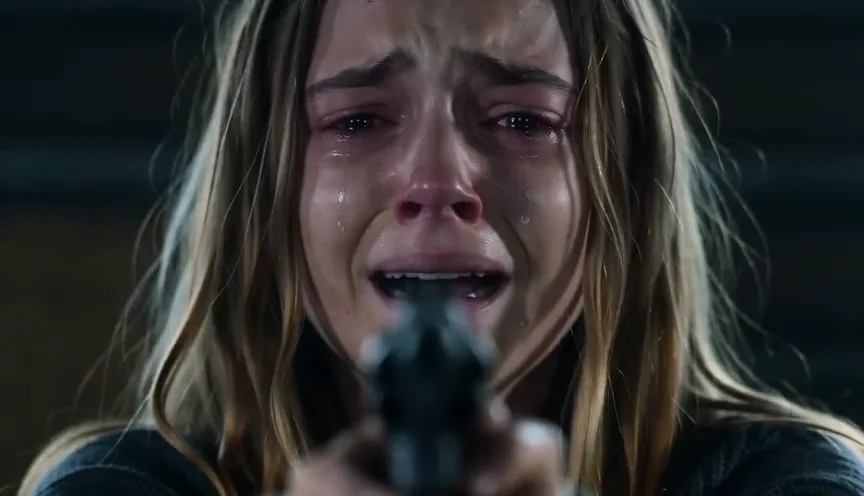
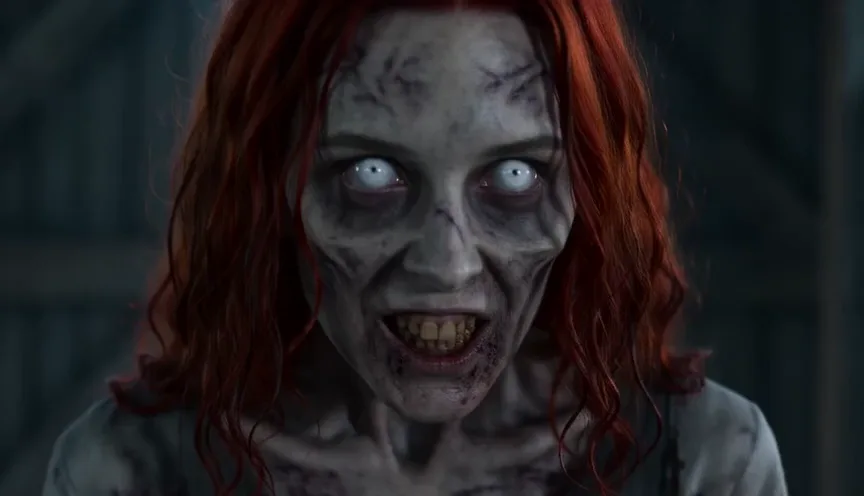
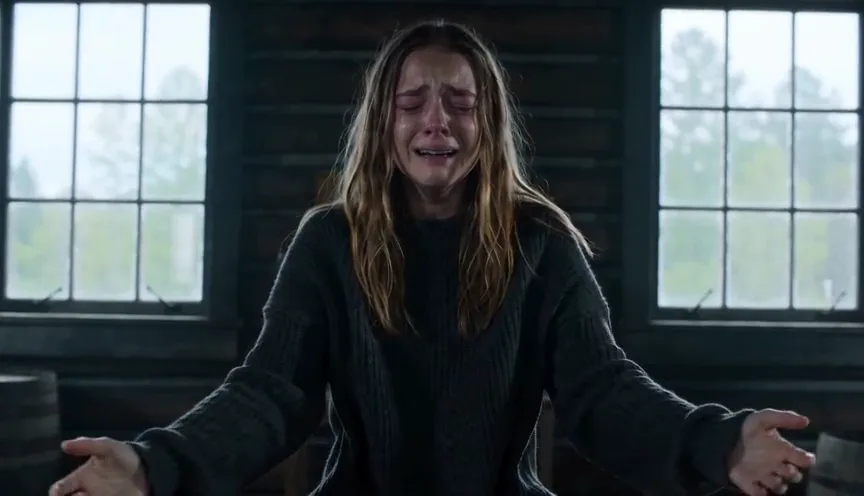
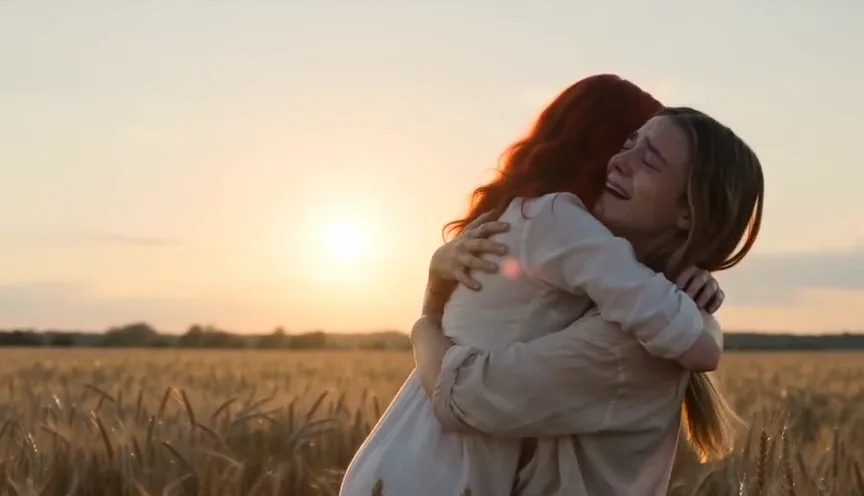
Sample stills showing two AI characters.
How to make the AI zombie video trend
No prompt, no editing app and no second clip to stitch together.
- 01
Choose who turns
Pick Person for a partner, friend or family member, or Pet for a dog or cat; both follow the same AI zombie video trend story.
- 02
Add two photos
Photo 1 is you, the one holding the gun. Photo 2 is the one who turns. Clear, front-facing photos work best.
- 03
Pick a model and quality, then generate
The price shows on the button before you start. The finished AI zombie video trend clip lands in Creations, so you can close the tab while it renders.
To post your AI zombie video trend clip, download the MP4 and upload it to TikTok, Instagram Reels or YouTube Shorts, and add the trending sound there if you want it.
How the AI zombie video generator works
Most people make the AI zombie video trend by generating the cabin and the memory as two clips and joining them in CapCut. This AI zombie video generator writes the whole film as one timed nine-shot script and renders it in a single 15-second pass, so the leap and the hug land in the same clip.
Written for you
- The wooden cabin and the golden wheat field
- Nine timed shots, from the raised gun to the sunset close-up
- The match cut that turns the leap into a hug
- Zombie makeup without blood or gore
- Ambient sound and a piano swell
- A 15-second film shot for the frame you pick, 16:9 or 9:16
You choose
- Who turns: a person or a pet
- The two photos
- The video model
- The resolution
- One clip, no stitching. The shot list, match cut and sound of the AI zombie video trend come from one generation, not two clips glued together.
- Your faces in both halves. The prompt keeps each face, hairstyle and skin tone from its own photo in the zombie scenes and in the memory.
- The survivor stays human. The person holding the gun keeps clean skin in every shot; only the one who turns gets the zombie look.
- Six models, one price list. Pick the lowest-cost, the recommended or the newest model on this AI zombie video generator and see the credits before you generate.
Zombie dog AI and cat videos: the pet version
The pet version of the AI zombie video trend went around before the couple version did. Switch the generator to Pet and Photo 2 becomes your dog or cat.
- What changes. The zombie look is gentler on animals: matted, dull fur, cloudy eyes and bared teeth, with no wounds. The prompt keeps the species, breed, size, coat colour and markings from your photo.
- The leap. Your pet runs across the cabin and jumps toward your chest; in the memory it lands in your arms, healthy, with a clean shiny coat.
- Dogs. For the AI zombie video trend with a dog, use a photo with the whole head in frame, ears included, and the eyes visible.
- Cats. Cats are smaller on screen, so use a sharp, close photo with the face and markings clear. Expect a little more variation than with dogs, and keep one animal per photo.
Who can turn in your AI zombie video
- Your partner. The original love-story version of the AI zombie video trend.
- Your best friend. The "I still would not shoot" version of the AI zombie video trend.
- A parent, child or sibling. The family version of the AI zombie video trend; use a recent photo of an adult for the one who turns.
- Your dog or cat. Switch the generator to Pet.
AI zombie video trend price: credits per video
Every AI zombie video trend clip is 15 seconds with sound. The price depends on the model and resolution you pick and shows on the Generate button before anything is charged.
| Model | 480p | 720p | 768P | 1080p | 2K | Good to know |
|---|---|---|---|---|---|---|
| Seedance 2.0 Mini | 25 | 53 | — | — | — | Lowest-cost Seedance tier; faces can drift more |
| MiniMax H3 | — | — | 78 | — | 124 | MiniMax H3 at 768P or 2K |
| Wan 3.0 | 45 | 89 | — | 178 | — | Wan 3.0 from 480p to 1080p |
| Seedance 2.0 Fast | 54 | 116 | — | — | — | Recommended default: the zombie AI video generator choice for price and quality |
| Seedance 2.0 Pro | 90 | 193 | — | 480 | — | The full Seedance 2.0 model, up to 1080p |
| Seedance 2.5 | 130 | 293 | — | 521 | — | Newest Seedance model; checks both photos with the provider first |
Credits for one 15-second AI zombie video at each resolution; — means the model does not offer it.
On the Studio monthly plan ($49.90 for 1,800 credits) the default video (Seedance 2.0 Fast, 720p, 116 credits) works out to about $3.22; the lowest-cost option is about $0.69.
- Costs credits. Generating an AI zombie video trend clip, charged when it starts.
- Refunded. A video that fails, and nothing is charged if Seedance 2.5 rejects a photo.
- Watermark. Free-account videos carry a moving tryh3.com mark; any purchase unlocks the clean file for videos you already made.
- Trial pack. The $5 Trial pack is not enough for one AI zombie video; the lowest-cost video costs 25 credits.
Photos that make a better AI zombie video trend clip
- One subject per photo. One person, or one animal, in each picture.
- Face the camera. Whole head in frame, even daylight, eyes visible.
- Nothing covering the face. No sunglasses, masks, filters or heavy shadows.
- Keep the background simple. The model is told to ignore backgrounds, but a busy one can leak into the cabin.
- Use a recent photo. Unless you want the memory to look like an old picture of them.
- Run it again if a face drifts. Each AI zombie video trend run is a new take; a sharper, closer photo usually fixes likeness.
What sound does the AI zombie video have?
Your AI zombie video trend clip comes with sound generated with the picture: wind and shaky breathing in the cabin, a low growl, then a soft piano swell and laughter in the field. There is no dialogue and no song with lyrics.
Many posts of the AI zombie video trend swap in a trending TikTok sound. Add it in the TikTok or Reels editor and turn the original sound down if you only want the music.
Ways to do the AI zombie trend, compared
Checked on 9 October 2026. These are the common ways to make the AI zombie video trend; prices are what each site lists for one video.
| Way | What you give it | What you do | Video | Price for one video |
|---|---|---|---|---|
| A CapCut or Dreamina template | Your photos | Find the template from a trend post, generate, export | Depends on the template | Free daily credits or a plan |
| A prompt in a video model (Seedance, Kling, Google Flow) | Two photos and a long prompt | Find or write the prompt; often render the cabin and the memory separately and join them | Depends on the model | That app's pricing |
| aizombie.org | Two photos | Pick one of three scenes | 24 s, 9:16 | $9.99 |
| aizombie.net | Two photos, person or pet | Pick a scene | 15 s, 9:16 or 16:9 | From $6.90 (one-video pack) |
| aizombie.video | Two photos, couple or pet | Pick 480p or 720p and the framing | 15 s, 16:9 or 9:16 | A 100-credit pack at $6.90 covers one 480p video |
| This AI zombie video generator | Two photos, person or pet | Pick a model and a resolution | 15 s, 16:9 or 9:16, sound | From 25 credits |
A zombie filter or AI zombie effect turns one photo into a zombie face. The AI zombie video trend is a short film with two characters and a story, which is what this page makes.
Not affiliated with TikTok, Instagram, CapCut, Dreamina or the other sites listed.
AI zombie video trend FAQ
How do I do the AI zombie video trend?
Choose Person or Pet, add a photo of yourself and a photo of the one who turns, pick a model and resolution, and press Generate. The AI zombie video generator writes the shots, the zombie look, the match cut and the sound, and returns one 15-second MP4.
What app is used for the AI zombie trend?
The viral clips were made with general video models such as Seedance, Kling and Google Flow, usually with a long prompt and an editing app, or with a CapCut template. This AI zombie video generator runs the same kind of model, Seedance 2.0 Fast by default with Seedance 2.5, Mini, Pro, MiniMax H3 and Wan 3.0 to choose from, with the prompt already written.
Is there an AI zombie trend prompt I can copy?
You do not need one here: the prompt is built in and you only add photos. If you write your own elsewhere, three things matter most: describe the survivor's skin as clean so the zombie look does not spread, place both characters for the leap, and write the cut to the memory as a continuation of the same leap.
Can I do the AI zombie trend with my dog or cat?
Yes. Switch to Pet and add your dog or cat as Photo 2. The zombie pet keeps its breed, coat colour and markings, and in the memory it is healthy again and jumps into your arms. Use one animal per photo.
Will the zombie still look like my partner?
In this AI zombie video trend generator the prompt keeps each face, hairstyle and skin tone from its photo in every shot, and the zombie makeup changes skin, eyes and clothes, not the face shape. Results still vary between runs; a sharp, front-facing photo with even light gives the best likeness.
Why does an AI zombie video miss shots?
General apps often run out of time or merge shots when the prompt is short. Here every shot has a time slot inside a fixed 15 seconds and the memory is written as the second half of the same clip, so the standoff, the leap and the hug of the AI zombie video trend all fit.
How long does an AI zombie video take?
Usually a few minutes for one AI zombie video trend clip. Seedance 2.5 adds a short photo check before it starts. You can close the page: the video is saved in Creations.
How much does an AI zombie video cost?
It depends on the model and resolution: from 25 credits for the lowest-cost option to 521 credits for the highest. The exact price shows before you generate, and failed videos are refunded.
Does the AI zombie video have music?
It has generated sound: wind, breathing and a growl in the cabin, then soft piano and laughter in the memory, with no dialogue or lyrics. Add a trending sound in TikTok or Reels if you want one.
Is the zombie gory?
No. The AI zombie video trend look is grey skin, cloudy white eyes, tangled hair or matted fur and torn clothes, and the prompt asks for no blood, wounds or gore.
Is this a zombie filter?
No. A zombie filter or AI zombie effect changes one face in one photo. This makes the AI zombie video trend film: two characters, a cabin standoff, a leap and a memory, with sound.
Can I use photos of other people?
Only of adults who agreed to appear in your AI zombie video trend clip, or of your own pet. Do not use photos of children or public figures, and do not present the video as real footage.
Your turn: make the AI zombie video trend
Two photos and one choice. The cabin, the gun, the leap and the memory are already written.
Make my AI zombie video