How do I make a Calcanhar 2 dance video from photos?
Choose who gets the front spot, then upload a clear portrait of that adult. The preset supplies the tiled room, heel steps, camera and soundtrack. Choose a model and resolution, read the credit quote and generate. You can do this in a phone or desktop browser. When the job finishes, open the result and download the vertical MP4.
- Pick the front dancerChoose one photo for the front lead, or select Whole trio and add separate photos for back left and back right. Left and right are from the viewer’s perspective.
- Check the costSelect a model and resolution. Every option makes the same 14-second vertical dance. Check the displayed credits and confirm you have permission to use the photos.
- Generate and saveStart the job once. When your video is ready, open it here or in My creations, play it with sound, and download the MP4.
Does a Calcanhar 2 dance solo photo put me on screen alone?
One photo gives you the front-center role in a trio. The generator fills the back-left and back-right spots with two invented adults. To have two specific friends behind you, choose Whole trio and upload their portraits separately. All three dancers stay in the shot in both modes, and casting three people costs the same as casting just the lead.
What does a Calcanhar 2 dance trend video look like?
Look at the shoes when the lead lifts two fingers. The heels tap twice, one foot moves diagonally, and the feet open, cross and come back under the body. The rear pair echo that rhythm while the camera stays in front of them. The clips below show how the same steps read in football boots, trainers and a full-length dress.
Green kits on the tile floor
In this 14-second performance, the lead in green marks the beat with two fingers. Watch the rear pair mirror the heel steps as he turns across the tiles.
White dress in front
This 14-second take puts the white dress in the center, jeans at back left and a dark jacket at back right. All three mark the hand signal before the side step.
White kit · opening excerpt
In this 10-second excerpt, watch the white-shirted lead open and cross his feet while the green and blue shirts behind him keep time. Other dancers briefly enter the edges of the shot. The generator casts the three central roles.
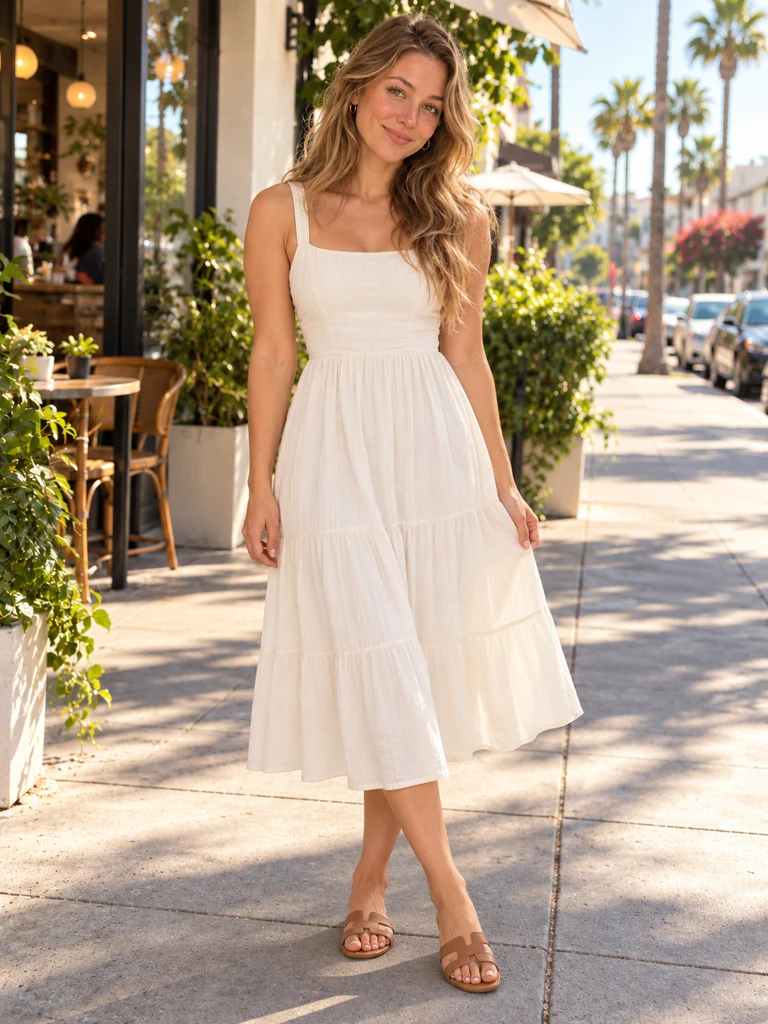
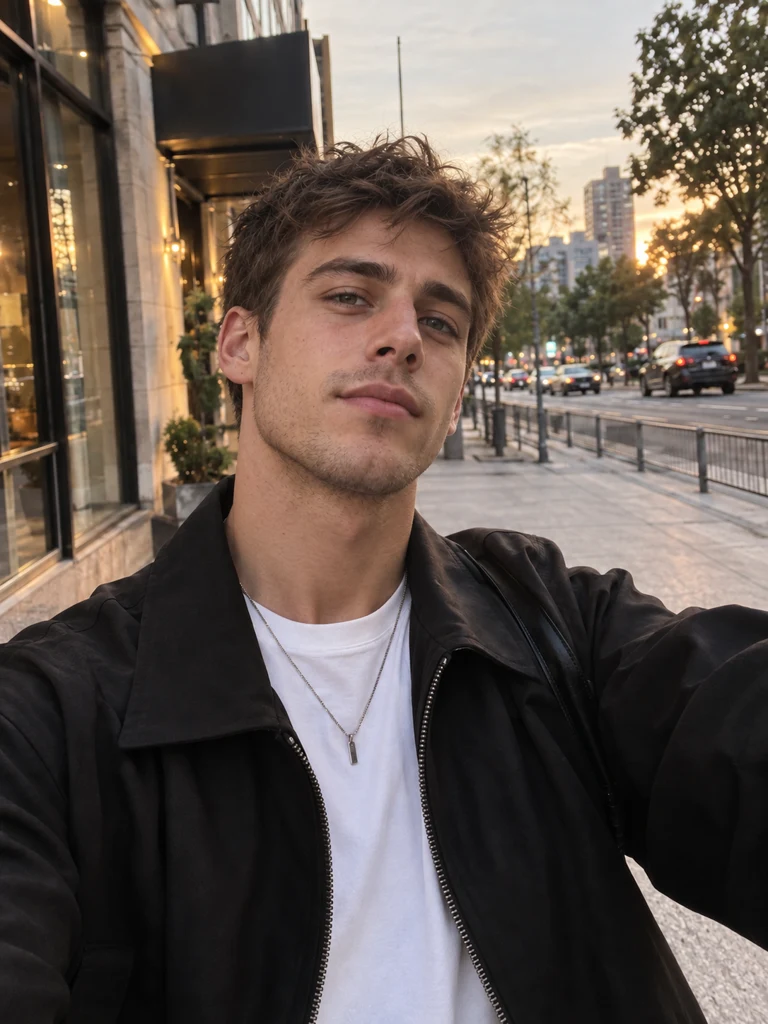
The three portraits in the white-dress example
Compare the same adults before and during the dance. The white dress stays with the front dancer. The rear-left dancer keeps her jeans, while the books from her portrait disappear in the moving shot.

How many credits does a 14-second Calcanhar 2 dance video cost?
The lowest quote is 28 credits for Seedance 2.0 Mini at 480p. Moving that model to 720p costs 60 credits. The table shows every quality this generator accepts for the same 14-second dance, including the reference motion and sound. Dollar equivalents use Studio monthly credits at $49.90 for 1,800. You buy credits in packs or plans.
| Model | Resolution | Credits | Studio equivalent |
|---|---|---|---|
| Seedance 2.0 Mini | 480p | 28 | $0.78 |
| Seedance 2.0 Mini | 720p | 60 | $1.66 |
| Seedance 2.0 Fast | 480p | 60 | $1.66 |
| Seedance 2.0 Fast | 720p | 130 | $3.60 |
| Seedance 2.0 Pro | 480p | 102 | $2.83 |
| Seedance 2.0 Pro | 720p | 217 | $6.02 |
| Seedance 2.0 Pro | 1080p | 545 | $15.11 |
| Seedance 2.5 | 480p | 146 | $4.05 |
| Seedance 2.5 | 720p | 328 | $9.09 |
| Seedance 2.5 | 1080p | 809 | $22.43 |
| MiniMax H3 | 768P | 145 | $4.02 |
Can I download the full dance for free or without a watermark?
The examples play for free on TryH3. Eligible signups receive up to 5 credits, short of the 28 needed for the least expensive render. The $5 trial supplies 24 credits and cannot fund that render by itself. A $9.90 pack provides 180 credits. A completed pack or subscription purchase unlocks the clean export while the original file is retained.
| Free allowance | Up to 5 eligible signup credits. Watching the examples and selecting photos is free. |
|---|---|
| Smallest standalone pack covering one full video | $9.90 for 180 credits |
| Watermark | Unpaid accounts receive the moving TryH3 mark when enabled. A completed pack or subscription purchase unlocks a clean download while the original is retained. |
| Failure and retry | A failed paid task refunds its generation credits. A completed clip with an unwanted gesture still counts as a render. A new take costs the displayed quote again. |
| Tool | Published price | Free allowance | Watermark | Output |
|---|---|---|---|---|
| TryH3 | 28–809 credits. $9.90 buys 180 credits. | Up to 5 eligible signup credits. | Moving mark for unpaid accounts when enabled. Clean after purchase. | 14-second vertical MP4 with sound. One portrait casts the lead, three cast the trio. |
| Calcanhar2Dance | $9.99 for one 480p video or $12.99 for one 720p video. | One 4-second 480p preview for eligible new accounts when available. | Not publicly stated. | 14-second MP4 with music. One photo for a solo or three for a trio. |
| SeaDanse | $9.90 buys the pack for one 720p video. | Free generation allowance not publicly stated. | Unwatermarked export. | 13-second vertical MP4 with sound. One photo can lead a trio on the gala stage. |
When do faces or feet look wrong in a Calcanhar 2 dance video?
A head-and-shoulders selfie gives the model little evidence about your shoes, legs or outfit. Use one evenly lit, front-facing adult per image and leave room around the feet. Overlapping legs, a hand across the face or a mirror hiding one shoe can produce sliding heels or a changing face. A higher resolution can sharpen detail but cannot restore a foot the photo never showed.
What should I check before uploading my dance photos?
Start with one clear person per photo and decide which dancer each photo belongs to. The camera and music are fixed for this routine. Compare the white-dress portraits with the moving example to see which details survive a turn. If you are working on a phone, leave the job in My creations and download the finished MP4 from there.
Can I use a selfie if I cannot see my shoes?
Yes. Use a sharp, evenly lit face. The model has to invent everything below the crop, including the clothes and shoes. A standing photo gives it more evidence to keep the same look through the turn.
Can I cast just two friends in the Calcanhar 2 dance?
This preset accepts one photo or three distinct photos. Use one to cast the lead and let the model fill both rear spots. To assign a friend to either rear spot, supply a different portrait for each of the three positions.
What heel steps should I look for in the dance?
Watch the lead shift weight, mark two heel taps and step diagonally. The feet open, cross briefly and recover under the hips as the hands mark the count. Follow the planted shoe to see where the dancer changes direction.
How do I save the MP4 on iPhone or Android?
Open the finished job in the same browser or in My creations, then choose Download. Look in your browser’s downloads or Files. The vertical MP4 already contains the sound and can be shared from your device.
Does the Calcanhar 2 dance trend video include music?
Yes. The finished MP4 uses the recording timed to this template. Play any example with sound to hear it. There is no music picker and the photos do not supply a voice.
Will 1080p fix a sliding heel or a changing face?
It adds pixels, but a crossed leg or a face hidden in the photo can still drift. Start with a full-body portrait and check the heel contacts before paying for another take. Seedance 2.0 Pro and 2.5 offer 1080p here.
What happens if my dance fails or I want another take?
A confirmed failed generation returns its generation credits. Reopen the existing job to check a pending render. A completed video uses its quoted credits even if you want different footwork. A fresh take costs the displayed amount.
Where did the Calcanhar 2 dance trend come from?
Calcanhar means heel in Portuguese. This sequence draws on Passinho Charme, a social dance associated with Rio de Janeiro’s Black dance floors. Brown Andrade posted a short of a Palmeiras trio performing the steps on October 27, 2026. Other AI clips cast football figures such as Neymar, which helps explain the name “Neymar AI dance.” Andrade’s performance is a useful way to see the foot placements.
Brown Andrade’s October 27 Palmeiras dance short