
ILLUSTRATIVE ESTIMATE34 years
Outdoor daylight portrait
ONE PHOTO · ONE CURIOUS QUESTION
How Old Do I Look by TryH3 estimates your apparent age from a portrait and explains what is visible.
Choose a clear, front-facing portrait in natural light.
Your upload is stored on TryH3 and shared with its analysis provider; it may be shared for safety screening. Anyone with its unlisted link can open it.Your estimated age and range will appear here
An impression from one photo, not your actual or biological age. Results can vary.
TryH3 estimates apparent age from one portrait and returns a possible range with brief observations about visible features. One estimate costs 6 credits; the current 5 signup credits do not cover one estimate. Your photo is uploaded to TryH3 and sent to an analysis provider; it may also be sent for safety screening.
TryH3 estimates your photo age after you choose one photo you have permission to use and review the credit quote. The result includes an estimated age, range and short observations.
A TryH3 photo age estimate is the model’s impression of how old a face looks in one photograph. The result aims to show one number, a possible range and up to three observations about visible areas or photo quality. It does not alter your photo or measure your true age.
TryH3 uses illustrative portraits to show the kind of age number a photo-age tool can display. Lighting, image quality and the model can all change the estimate; a result for your photo may differ.
Outdoor daylight portrait

Indoor portrait

Low-light portrait
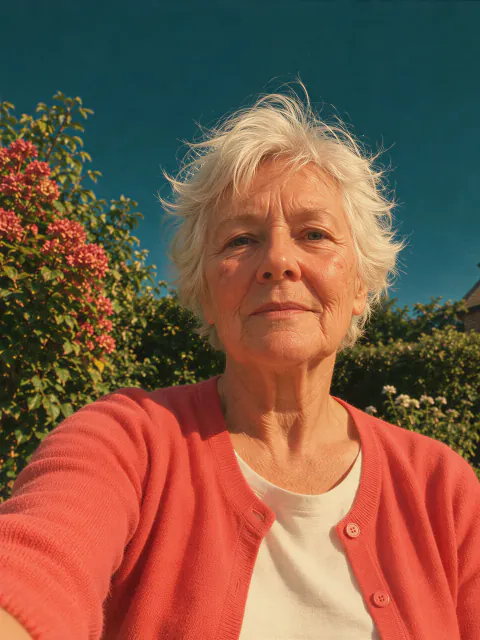
Garden portrait
A TryH3 photo age guess is uncertain and different images of the same person can produce different estimates. Lighting, camera angle, expression, makeup, image quality and the model’s training can affect the result. We have not measured an error rate for this tool, so the number and range should be treated as an impression rather than a fact.
For a fairer comparison, choose similarly framed, unfiltered photos in even daylight. Avoid using a result to judge health or to prove someone’s age.
TryH3 prepares a smaller JPEG in your browser and uploads it to its storage. The image is shared with the AI analysis provider and may also be shared with a safety screening provider. The stored photo has an unlisted link: anyone who has that link can open it. The estimate is saved with the task in your account; no automatic deletion time is promised.
TryH3 charges 6 credits per estimate, about $0.17 when calculated at the Studio monthly subscription rate. 5 signup credits alone do not cover a result. From a zero balance, the smallest one-time pack that covers one estimate is $5.00 for 24 credits. A result is text, so there is no video watermark.
| What you get | Credits / price |
|---|---|
| Photo preview | Free, before submitting |
| One age estimate | 6 credits |
| Signup credits | 5 credits; not enough for one estimate |
| Smallest sufficient one-time pack from zero | $5.00 / 24 credits |
| Watermark | None on text results |
TryH3 is our own tool and is not affiliated with the other tools. Their details below come from their official websites.
| Tool | Free access / price | Output | Watermark |
|---|---|---|---|
| TryH3 | Preview free; estimate 6 credits | Age, range and observations | None on text |
| FaceAge.world | Free estimate; no signup | Age, range and skin check | Not stated |
| FaceAge.ai | Free age estimate; optional $9.99 harmony report | Age estimate | Not stated |
TryH3 cannot determine a person’s real or biological age, diagnose skin or health conditions, or reliably prove eligibility for an age-restricted product. It analyzes one photo at a time. Obscured faces, unusual lighting and low-quality pictures can make an estimate less useful.
Yes. Sign in to run an estimate and use your TryH3 credits. You can choose and preview a photo before signing in.
Choose a JPG, PNG or WebP up to 15 MB. Some browsers can also open HEIC photos; if yours cannot, save the photo as a JPG first. The browser prepares a smaller JPEG before uploading.
Yes. Open this page in a mobile browser and choose a photo from your library or camera. You do not need to install an app.
Updated 2026-11-12