AI Influencer Generator — Keep One Face Across Every Photo
AI Influencer Generator by TryH3 turns one photo of your character into new social photos with the same face, hair and skin tone.
Your AI influencer
One adult, face fully visible, good light. A second angle (side or full body) helps with wider shots.
1 photo · 6 credits · no watermark · failed photos are refunded
Same person, new scene
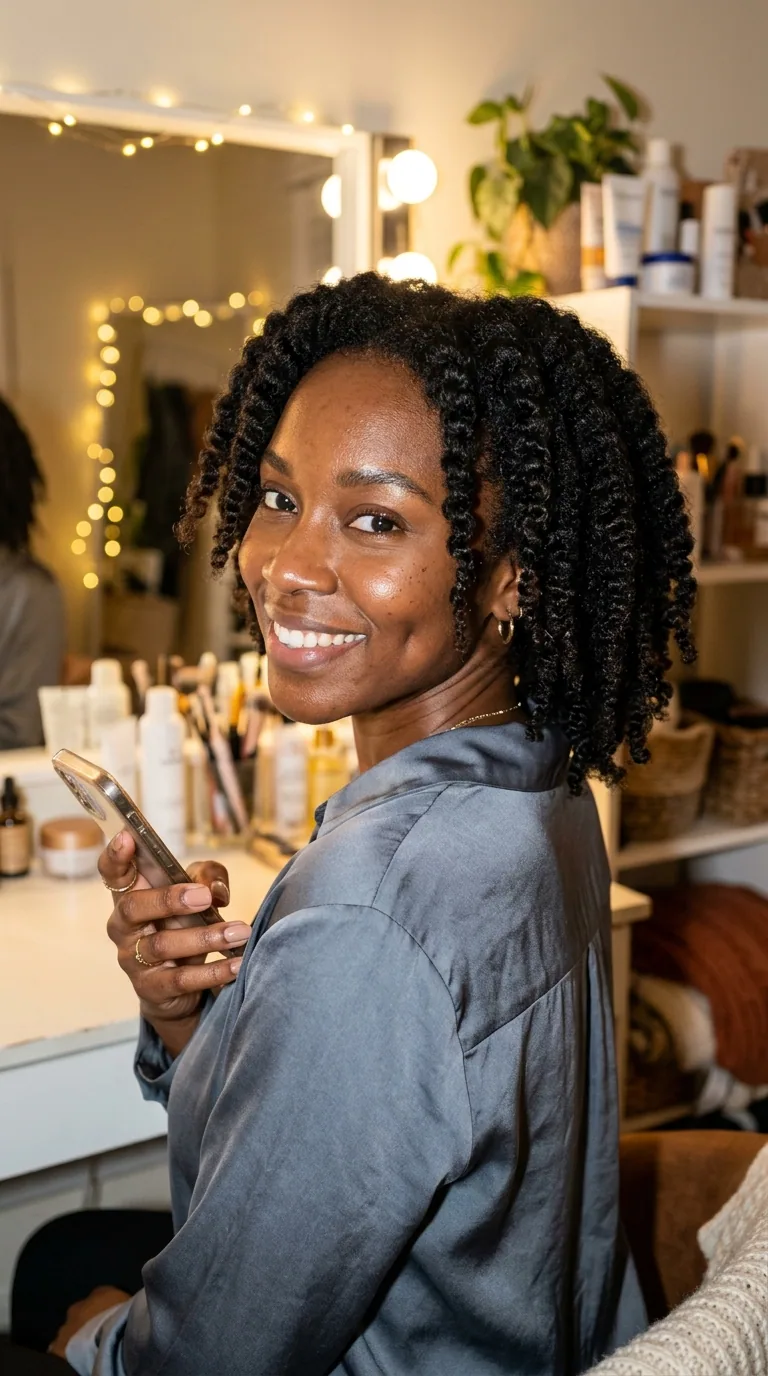
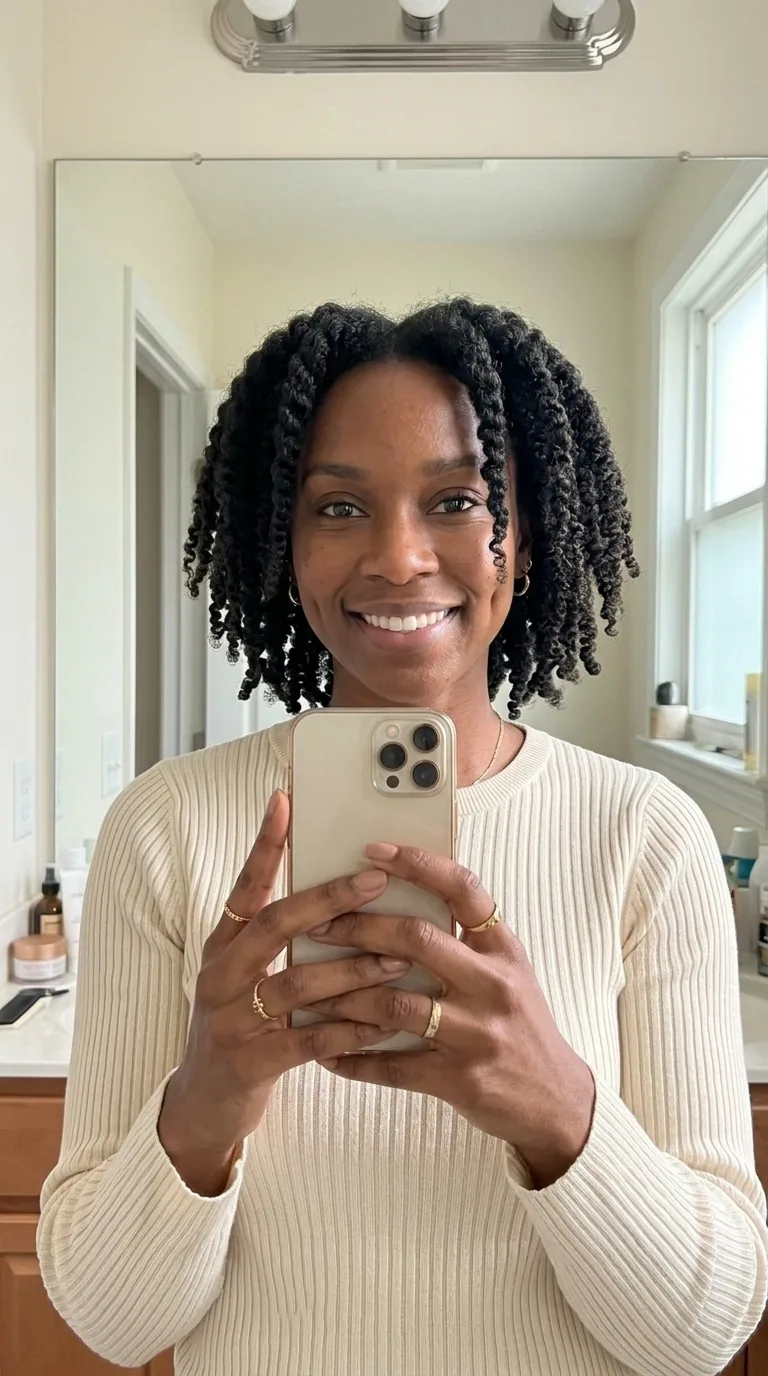
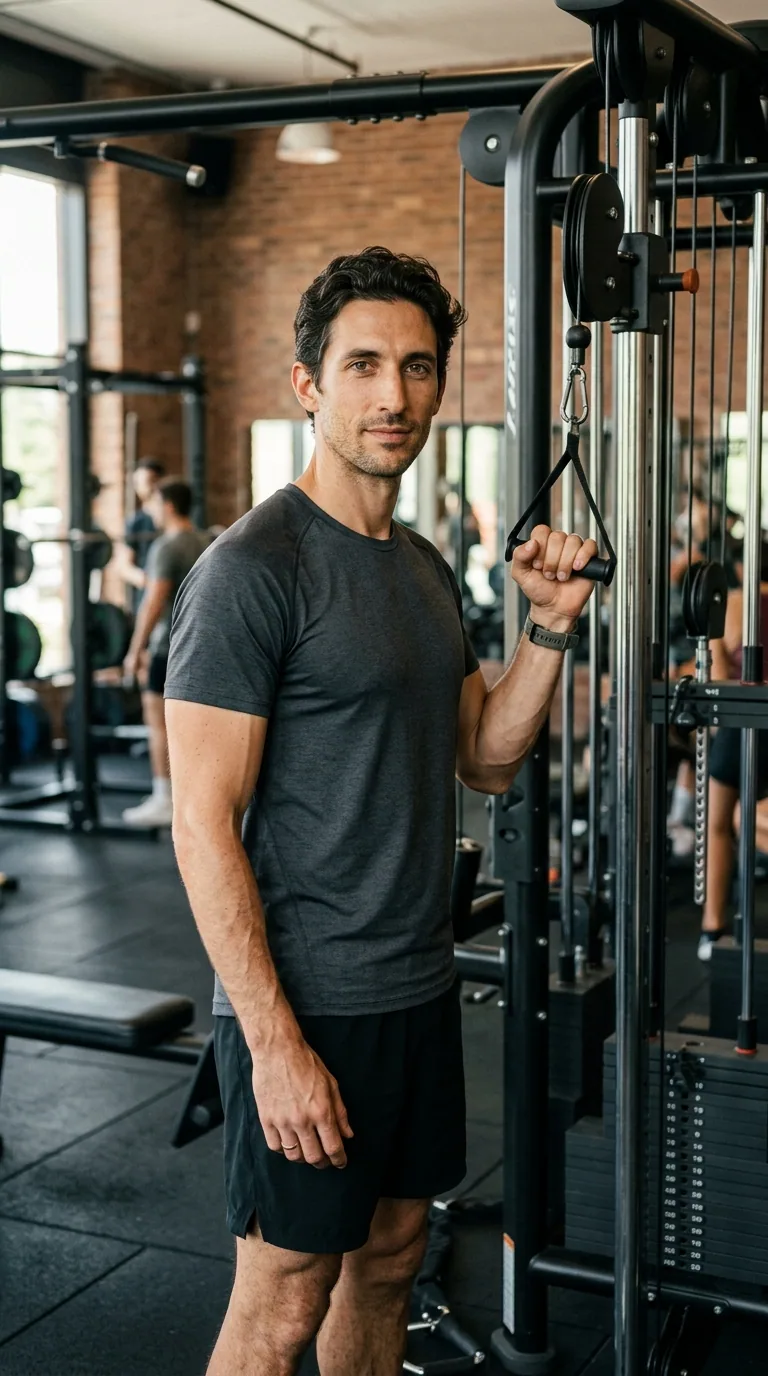
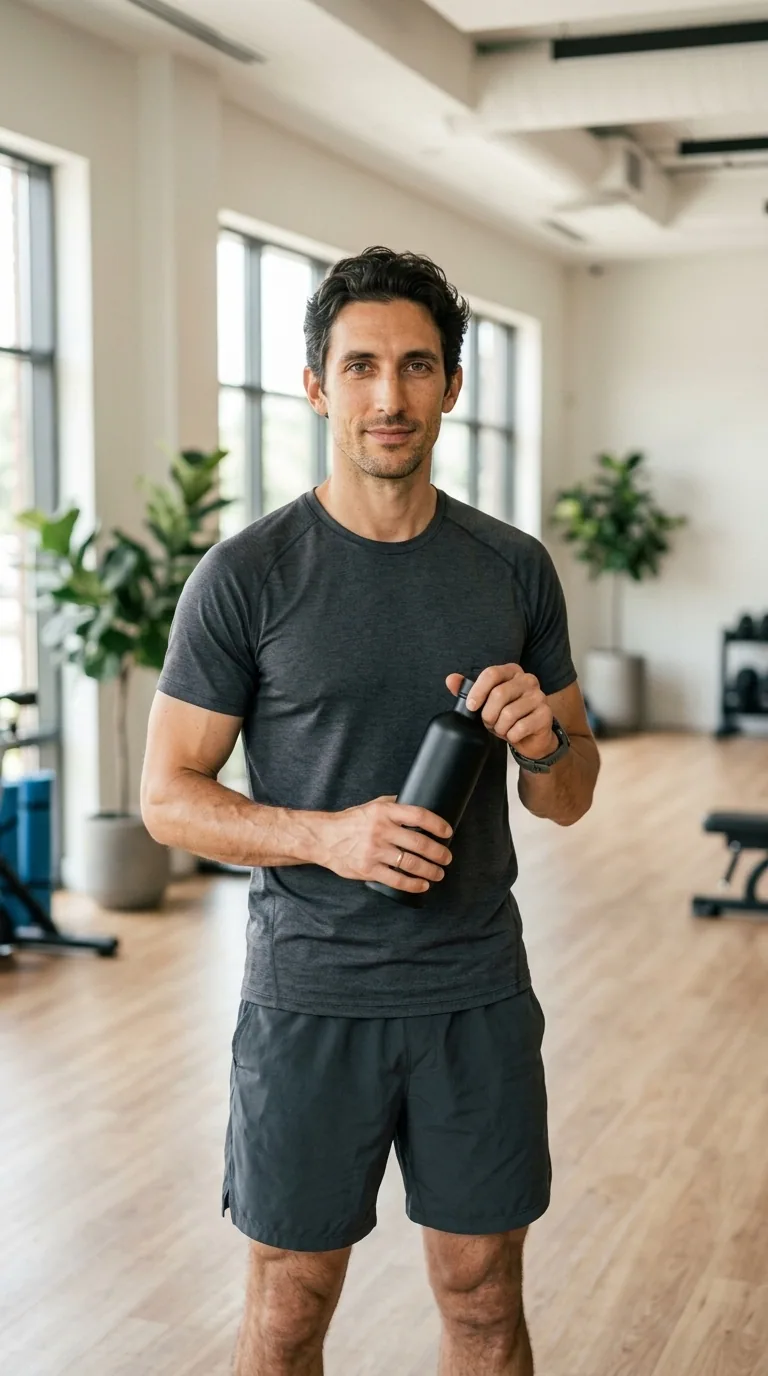
The AI influencer generator is built for creators testing a virtual Instagram or TikTok persona and for small brands that need one consistent model for product posts. Each run makes 1, 2 or 4 new photos at 1K to 4K in 4:5, 9:16 or 1:1, with no watermark. A photo costs 6 credits on Nano Banana 2, so the $5 Trial pack (24 credits) makes 4; eligible new accounts get 5 free signup credits, not enough for one photo.
How to create an AI influencer from one photo
Creating an AI influencer on TryH3 takes one clear photo of your character and three steps: upload the photo, pick a scene, then generate one to four new photos. The face, hair and skin tone come from your photo; the place, pose and outfit come from the scene you choose.
Step 1: Upload your character photo
Use one adult, face fully visible, in JPG, PNG or WebP up to 10 MB. Add a second angle if you want wider or side-on shots.
Step 2: Pick a scene and format
Choose a scene card (café, travel, gym, mirror selfie, product or street) or Custom, then 1, 2 or 4 photos in 4:5, 9:16 or 1:1.
Step 3: Generate and download
Press Generate. Each photo appears in the results panel when it is ready; download them one by one or all at once.
AI influencer examples: one photo, new scenes
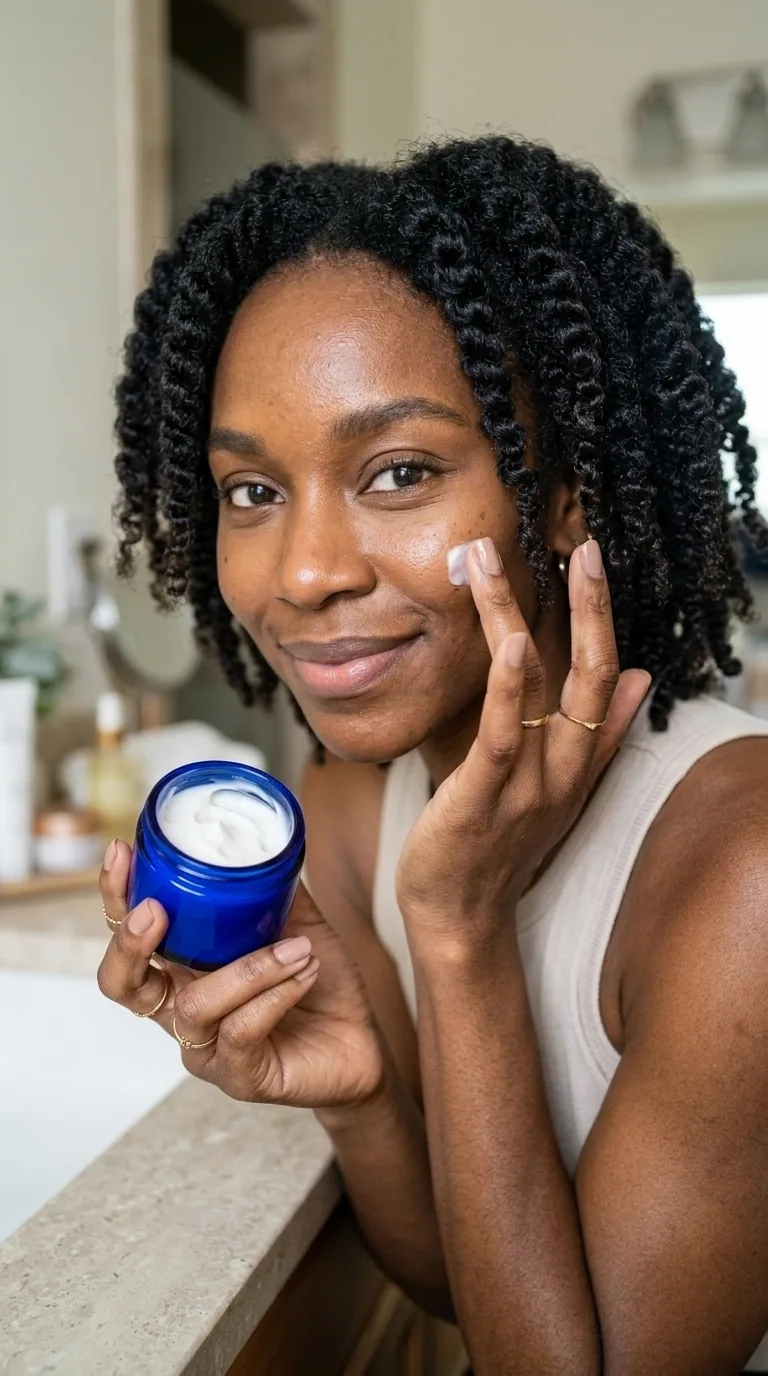
The AI influencer examples below pair a reference photo with a new scene of the same fictional person. The face, hair and build carry over while the location, outfit, pose and props change, which is exactly what a consistent AI influencer account needs for a feed of different posts.

Can you make an AI influencer for free?
Generating AI influencer photos on TryH3 is not free: each photo uses credits, from 6 credits on Nano Banana 2, about $1.25 a photo on the $5 Trial pack, and eligible new accounts get 5 free signup credits, not enough for one photo. Uploading photos, choosing scenes and viewing the examples cost nothing. The $5 Trial pack holds 24 credits, enough for 4 photos. Downloads carry no watermark, and a failed photo returns its credits.
| Free or paid | What you get |
|---|---|
| Signup credits | Eligible new accounts get 5 free signup credits, not enough for one photo |
| Trial pack | $5 for 24 credits = 4 Nano Banana 2 photos |
| Watermark | None on downloaded photos |
| App or install | None — works in desktop and mobile browsers |
| Failed photo | Credits returned automatically |
How do you keep an AI influencer’s face consistent?
An AI influencer keeps the same face when every new photo is generated from the same reference photo rather than from a written description. TryH3 sends your character photo, plus an optional second angle, with each request and asks the model to keep the face, hair, skin tone and body proportions while it changes only the scene, pose and outfit. A sharp, front-facing photo in good light gives the steadiest results.
- Reuse the exact same character photo for every set, so each post starts from the same face.
- Add a second angle (side view or full body) before asking for street, gym or other wide shots.
- Avoid sunglasses, heavy filters, hands over the face and group photos in the reference.
- In a Custom scene, describe the place, action and outfit only — for example “reading on a beach towel at sunset, linen shirt” — and leave the face to the photo.
Can an AI influencer make money with product photos?
An AI influencer can earn the same ways a human creator does, through sponsored posts, affiliate links and product content for brands, but the income depends on the audience, not on the generator. For product posts, choose the Product scene and upload a clear photo of the item; the model places that product in your character’s hand while the face stays the same. Check labels and logos on every result before posting, because small text can change.
On Instagram, content made or edited with AI can carry an “AI info” label, and sponsored posts still need the platform’s paid partnership label. Say that the persona is AI-generated in the bio, and only show products you are allowed to promote.
AI influencer generator pricing and credits
AI influencer photos on TryH3 cost 6 credits each on Nano Banana 2 at 1K, about $1.25 a photo on the $5 Trial pack, 10 credits on Nano Banana Pro at 1K or 2K, and 18 credits on Nano Banana Pro at 4K. A set of four Nano Banana 2 photos costs 24 credits, and the $5 Trial pack holds 24 credits. Credits are taken only when you press Generate, and each photo that fails is refunded.
| Model | Resolution | 1 photo | 2 photos | 4 photos |
|---|---|---|---|---|
| Nano Banana 2 | 1K | 6 | 12 | 24 |
| Nano Banana Pro | 1K | 10 | 20 | 40 |
| Nano Banana Pro | 2K | 10 | 20 | 40 |
| Nano Banana Pro | 4K | 18 | 36 | 72 |
| Tool | Lowest paid entry | Free use | Watermark | Output |
|---|---|---|---|---|
| TryH3 | $5 one-time pack, 24 credits (4 photos) | Eligible new accounts get 5 free signup credits, not enough for one photo | None | Photos from your own character photo |
| OpenArt | Starter $14 a month, 4,000 credits | Not listed on the pricing page | Paid plans are watermark-free | Images and video |
OpenArt figures come from its public pricing page on 2026-11-08 and may change.
See all credit packs ↗What this AI influencer generator can’t do
The TryH3 AI influencer generator makes still photos only; it does not make videos, talking avatars or lip sync. It does not train or save a character ID, so upload the same photo for each set. It cannot promise exact product text or logos, may drift on side profiles or full-body shots made from a close-up, puts one person in each photo, and refuses minors, nudity and real people without their consent.
AI influencer generator FAQ
Do I need an app or an account?
No app is needed: the AI influencer generator runs in any desktop or mobile browser. You can upload a photo and choose a scene without an account, and you sign in when you press Generate so the credits and photos are saved to you.
Can I use the photos for brand posts and ads?
Yes. Photos you generate from a photo you own, or have permission to use, can go into your own posts, brand content and ads. Disclose AI-generated content where the platform asks for it, and do not use the persona to imitate a real person.
Can I upload a photo of a real person?
Only your own photo or a photo of an adult who has agreed to it, ideally in writing if the images will be used in ads. Photos of minors, celebrities or people who have not agreed are not allowed.
Can I turn my AI influencer photos into a video?
Yes, in a second step: download a finished AI influencer photo and open it in the TryH3 image-to-video generator, which animates it as a short clip and is priced separately from these photos.
Who can see my uploaded photos?
Uploads and results are stored on unlisted direct links so the image model can read them. They are not published on the site, but anyone who has the exact link can open it. Results also appear in your own image history.