
Prompt starter
Titanium eyewear study
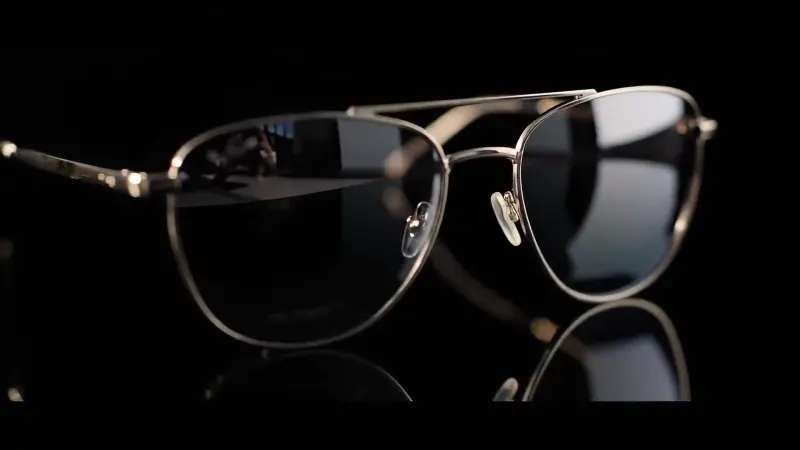
Prompt
A premium pair of brushed titanium sunglasses on a glossy black surface, dramatic rim light, crisp product photography, deep shadows, 16:9.
Describe a scene, style or idea and turn it into an image with GPT Image 2, Nano Banana Pro, Seedream 5.0 Pro, Qwen Image 3.0, Nano Banana or Z-Image Turbo. Choose an aspect ratio, then render up to 4K.
GPT Image 2
OpenAI gpt-image-2 — text to image, multi-reference editing and mask inpainting, up to 4K.
Prompt starter
Prompt
A premium pair of brushed titanium sunglasses on a glossy black surface, dramatic rim light, crisp product photography, deep shadows, 16:9.
Text to image AI · Free online
Text to image AI free tools turn a written idea into a finished visual without requiring a camera, stock library or manual illustration workflow. In TryH3, you describe the subject, setting, composition and style you want, then GPT Image 2 interprets that direction and renders an original image in the browser. The generator sits above this guide, so you can move from reading to creating without opening another app.
This page is designed for precise generation rather than a one-click novelty result. You can select a square, portrait, landscape, ultrawide or extra-tall canvas; choose 1K, 2K or 4K output; and revise the prompt between attempts. Eligible new accounts receive welcome credits, and the current cost appears on the generate button before a request is submitted. That makes the free AI image generator useful for testing a real creative direction while keeping the limits and price visible.
A strong result starts with a clear visual brief. You do not need prompt syntax or a list of magic words; the model responds better when the description explains what should be visible and how the final frame should feel. Use this three-step workflow for a first generation, then change one variable at a time when you iterate.
Open with the main subject, its action and the environment. “A red fox reading beside a cabin window during a snowstorm” gives the AI image generator from text a concrete relationship to build. Add important colors, clothing or objects here, especially when they must remain visually prominent.
Explain whether the frame is a close-up, overhead view, wide landscape or product shot. Name the light source and mood, then choose a useful style such as editorial photography, watercolor, clay animation or clean 3D render. Specific visual direction is more reliable than a long string of quality adjectives.
Match the aspect ratio to where the image will be used: 1:1 for square posts, 16:9 for presentations and banners, 9:16 for stories, or Auto when the prompt should guide the composition. Start at 1K for exploration, then move to 2K or 4K once the direction is worth keeping.
The same text to image generator can serve very different workflows. A useful output is not limited to fantasy art; it can act as a visual draft, a communication tool or a production-ready asset when the prompt and canvas match the job.
Draft campaign key art, blog covers, social posts and ad concepts before spending time on a full shoot. Generate several distinct directions by changing the composition or mood rather than asking for tiny variations of the same frame.
Turn a scene description into a visual reference for a video, game, presentation or client pitch. Lock the camera angle, environment and palette in text so collaborators can react to something concrete instead of interpreting the brief differently.
Create clean product settings, decorative backgrounds, empty-state illustrations or mood boards. Leave intentional negative space when text or interface elements will be added later, and avoid asking the model to bake long copy into the image.
Prompt quality usually improves when direction becomes clearer, not longer. A compact prompt with an obvious subject and composition gives GPT Image 2 fewer conflicting decisions to resolve. These five checks solve many common problems.
Put the non-negotiable detail near the beginning. If a person, object, color or camera view defines the idea, state it in the first sentence instead of hiding it after style references.
Describe relationships, not inventories. Say where subjects sit, what they face and how they interact. A list of unrelated nouns tells the model what to include but not how to compose the frame.
Use one coherent visual language. Combining documentary photography, flat vector art and an oil painting in one request creates competing instructions. Pick the style that best supports the intended use.
Request readable text carefully. Quote the exact short phrase, identify where it belongs and inspect the result before publishing. For long copy, generate the visual without words and add typography in a design tool.
Revise one cause at a time. If the framing is wrong, change the camera direction before changing the style, lighting and subject too. Controlled revisions reveal which instruction actually improves the image.
“Free” on this page means eligible new TryH3 accounts can use welcome credits to try image generation without entering a payment card. It does not mean unlimited generations: each request has a credit cost, higher-value settings may use more resources, and the current offer can change. The workspace shows the quote before you generate, while failed tasks are handled through the platform’s normal credit-reversal flow.
A useful online generator should also make iteration practical. Look for flexible aspect ratios, enough resolution for the final placement, persistent results and a direct path from an initial idea to further editing. TryH3 keeps completed images in your workspace, while its related image-to-image and inpainting tools let you transform a successful result instead of rebuilding the entire prompt from zero.
Text is often only the first step. Once a generated frame has the right subject or composition, send that visual into an AI image generator from image references for controlled restyling, or use it as creative direction for a MiniMax H3 video. These internal workflows keep the original idea connected as it moves between formats.