What's the Obama mic toss trend everyone's talking about?
On October 24, 2026, Barack Obama was leaving the stage at Cass Technical High School in Detroit after a rally for Abdul El-Sayed. He flicked the microphone over his shoulder without turning his head. An aide caught it while Obama kept walking. The campaign posted the slow-motion clip on October 27. Earlier in his speech, Obama had joked about White House renovations resembling a Cheesecake Factory. During the handoff, what draws the eye is that he never checks whether the catch worked. In the older 2016 White House dinner clip, the microphone drops toward the floor. Here the moving handoff and the person receiving it are essential.
The Independent’s report from Detroit
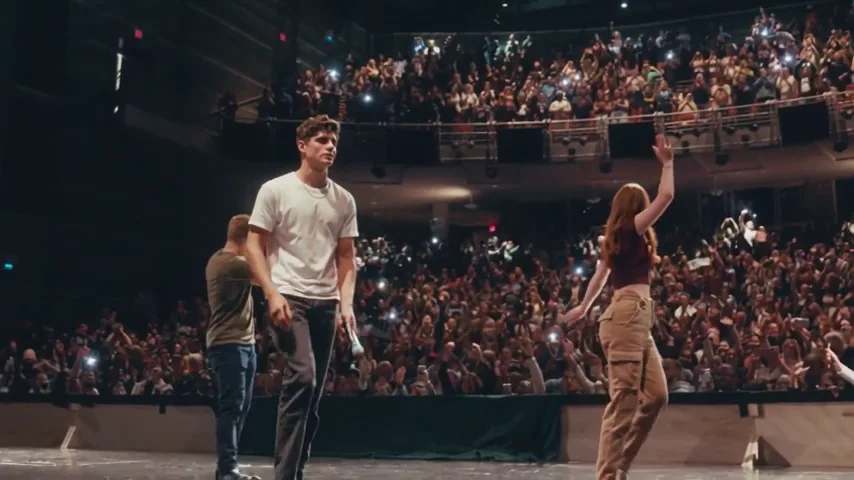
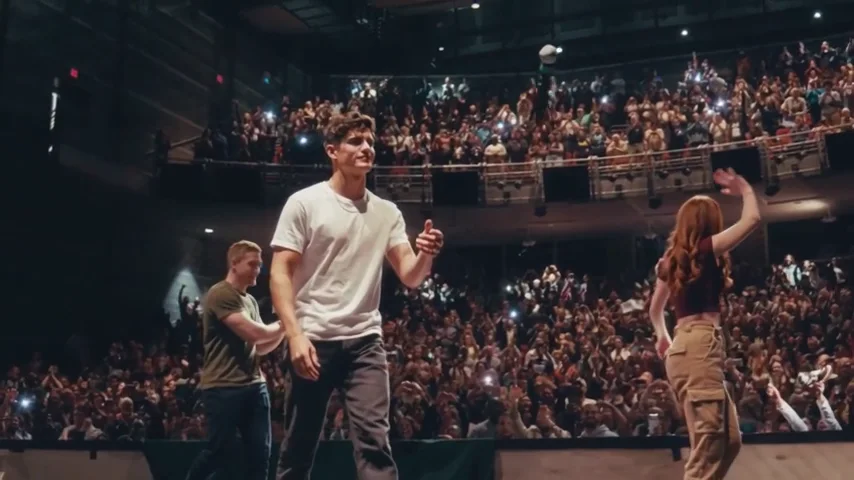
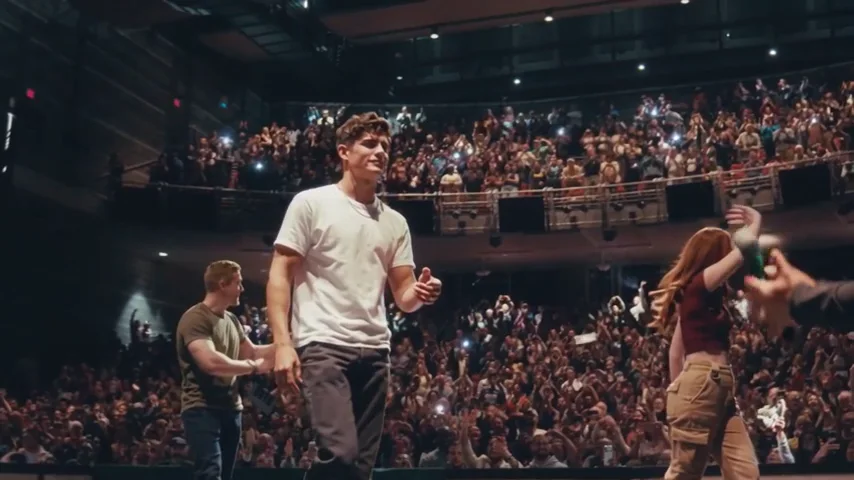
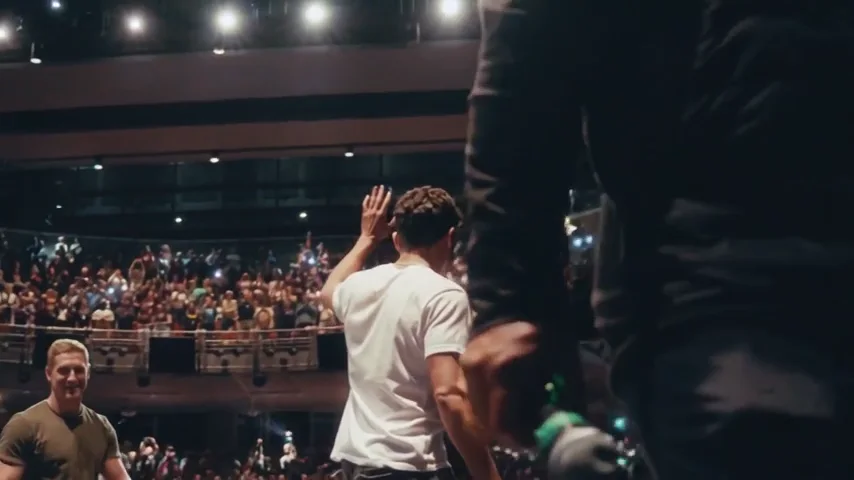
Can you walk me through making the Obama mic toss video from just one selfie?
Start with a well-lit portrait of one adult. A head-and-shoulders view gives the model both a face to follow and some clothing to carry into the wide shot. You play the person throwing the microphone. The aide and the other people onstage are generated for the scene. Choose wide or vertical framing before you render, then select the resolution and read the credit quote. Sign in to submit. After the job finishes, open the result in your creations and download the MP4. The soundtrack is already in it.
- 01
Cast the lead
Upload one clear portrait with the eyes visible. The photo supplies the lead’s appearance.
- 02
Frame the handoff
Choose 16:9 or 9:16, then pick 480p, 720p or 1080p and check the quote.
- 03
Save the clip
Sign in, generate once and download the finished 15-second MP4 from your project.
How do people reframe it without cutting off the flying microphone or the person catching it on the right?
For a Reel or Short, select 9:16 before generation. The model composes a tall shot and is asked to stage the aide slightly behind the lead, leaving room for both hands and the arc. For a wide screen, 16:9 gives the microphone more room to travel sideways. The stage examples here are wide. If you already have a wide MP4, keep the complete frame inside a vertical canvas and add space above and below it. A tight center crop can leave the lead visible while cutting off the catch entirely.
What's the real difference in cost between 480p, 720p, and 1080p for the Obama mic toss?
Each choice uses Seedance 2.5 for the same 15-second shot, including sound. Choose 480p to check how the hand releases the mic and whether the aide is in frame. At 720p or 1080p, faces and fingers have more pixels, but higher resolution cannot repair a missed catch. The dollar equivalents below use the Studio monthly plan at $49.90 for 1,800 credits. If you are starting with no credits, the last column gives the least expensive single credit pack that covers that row at the listed price.
| Resolution | Render credits | Studio monthly equivalent | Pack from zero |
|---|---|---|---|
| 480p | 156 | $4.32 | $9.90 · 180 credits |
| 720p | 351 | $9.73 | $19.90 · 420 credits |
| 1080p | 866 | $24.01 | $49.90 · 1280 credits |
| Account or result | What happens |
|---|---|
| Eligible new account | 5 welcome credits. The smallest render uses 156. |
| $5 Trial pack | 24 credits. A full render requires a larger balance. |
| Watermark | Before your first purchase, exports carry a moving site mark. Paid accounts receive clean exports. |
| Failed or rejected job | Reserved credits are returned. A completed clip with an imperfect catch remains a completed render. |
Is there any way to make the Obama mic toss AI video completely free, or do all the generators charge you before you can download it?
A free motion tool and a ready-made toss template give you different starting points. Viggle publishes a daily free video allowance. To recreate a particular handoff there, supply the movement you want to follow. Seadanse sells a dedicated 15-second wide version with optional companion portraits. On TryH3 you supply one portrait, select a frame, and use an existing balance or buy enough credits for the render. Check both the free allowance and watermark column if you need a clean file. A free account alone does not cover a TryH3 mic toss.
| Tool | Published price | Free allowance | Watermark | Output |
|---|---|---|---|---|
| TryH3 | From 156 credits. $9.90 buys 180 | 5 credits for eligible signups | Moving mark before first purchase | 15 s MP4 · 9:16 or 16:9 |
| Seadanse | $9.90 for one 720p render | 40 signup credits. One 480p render uses 375. | Clean exports | 15 s MP4 · 16:9 · up to 3 portraits |
| Viggle | Free plan $0. Pro listed from $7.99/month | 5 videos per day | Free exports marked. Pro removes mark | Motion-transfer video using a supplied performance |
How do I get a clean release and a believable arc through the air?
First watch for the fingers opening. Then follow the mic through empty space until the aide closes a hand around it. The motion guide keeps the original microphone visible against grayscale performers. You can follow its grille through the turn in midair and see the handle meet the receiving hand. The lead’s face can still drift in profile, the mic can merge with a hand, or the aide can reach too late. The tool rebuilds the shot from your portrait. It cannot move the catch independently inside a finished clip. A fresh render uses the displayed credits again.
Read the motion prompt
Film a 15-second stage exit in one low tracking shot. @图片1 supplies the lead’s face, hair, skin tone and clothes. Cast different fictional adults as the waving companion and the catching aide. Use @视频1 for camera travel, timing and the mic’s path. Render the grayscale scene in warm, natural colour, with a crowd on the theater balcony.
The lead walks with one handheld mic held low and flicks it back over one shoulder without looking back. By 3.5 seconds the fingers are open and there is a clear gap between them and the handle. The throwing hand stays empty.
At 4.8 seconds the mic is near the top of its arc, above and to the right of the lead. The silver grille is above the dark handle. Keep both ends visible against the crowd and follow the guide’s tilt through one continuous arc.
Around 5.8 seconds the aide reaches in from screen right with an empty hand. At about 6.4 seconds the fingers close around the falling handle and move down with it. The lead walks on without checking. The aide lowers the mic out of view, then passes the camera holding that same mic.
Near 13 seconds the lead waves to the balcony and keeps walking toward screen right, still visible in the final frame. Leave room above the arc and on the right for the catch. In 9:16, stage the aide slightly behind the lead so the full handoff fits. Silent footage, with no captions, logos, campaign signs or identifiable public figures.
Is there an actual iPhone app for the Obama mic toss effect, or do I have to use a website?
Use the generator in a mobile browser. Pick a portrait from your phone and choose a frame before you spend credits. When the render finishes, open its MP4 download. On an iPhone, look in Files or the browser’s download list. Open the downloaded video, tap Share and choose Save Video to put it in Photos when that option is available. On Android, check Downloads in your file manager. Keep the original MP4 if you plan to post it twice. Sending it through a messaging app can compress the catch.
Is this the same clip as the 2016 mic drop?
The 2016 White House Correspondents’ Dinner ended with a mic dropped toward the floor. The 2026 Detroit clip follows a walking speaker tossing the mic back to an aide who catches it.
Can I assign my friends to the other roles?
This tool has one portrait slot for the lead. It generates the aide, companions and crowd. A group selfie does not assign faces to those roles.
Which photo should I use if my face changes in profile?
Use a sharp, evenly lit portrait with visible eyes and shoulders. Avoid group shots, sunglasses and heavy filters. As the camera moves past the lead, even a clear portrait cannot guarantee the same face in every frame.
Can I get a free video without a watermark?
The eligible signup gift is 5 credits and the lowest render costs 156. Accounts using earned credits before their first purchase get a moving watermark. Paid customers receive clean downloads.
Can I fix a late catch without paying for another render?
If the aide actually catches the mic, you can retime that part of the downloaded MP4 in an editor. If the catch is missing, this template has no frame-level repair control. A new render is a separate charge.
What happens to my credits if generation fails?
A rejected or failed job returns the reserved credits. A finished video with an awkward throw is still a completed job. Check the quote before deciding whether to try again.
Do I need to find the original music?
The finished clip includes the stage template’s own soundtrack. Reposts of the rally use different edits. If you prefer your own track, mute the exported MP4 in your editor and add audio you can use.
Reference to VideoImage to VideoSee TryH3 plans and credit packs