Use this preset to put yourself in the Hey Bhagwan Ek Thar De Do Reel. It makes a 10-second vertical MP4 at 480p, 720p or 1080p, starting at 160 credits (about $4.44 on Studio monthly). The 5-credit signup gift is below the cost of one clip. Downloads before the first purchase may carry a moving watermark. Paid accounts can download without it.
How the Thar AI Video maker works
Upload one clear portrait, choose the dancer’s outfit and pick an output resolution. The template supplies the camera framing and fast cuts, so you can start from a still photo. After signing in, check the price by the Generate button before creating the MP4.
- Add a portraitUse a sharp, evenly lit photo of one consenting adult. A waist-up or full-body image gives the model more information about clothes and posture.
- Choose an outfit and qualityUse your own clothes, pick the lavender studio outfit, or describe a custom one. Start with 480p to check the face and cuts before spending more on a higher resolution.
- Generate and review the MP4Sign in, confirm permission and generate. Watch for a consistent face, a clean cut into the Thar shot and the last bow before saving the video.
The six wish cuts
The sequence starts with a dancer in a lilac studio. A bow leads to Hanuman’s blessing, open arms to the hood of a black Thar, and a lean to a white stretch car. A flex cuts to a gym, open palms to a hall of banknotes, and a second bow to Shiva. Each wish picks up the previous pose.
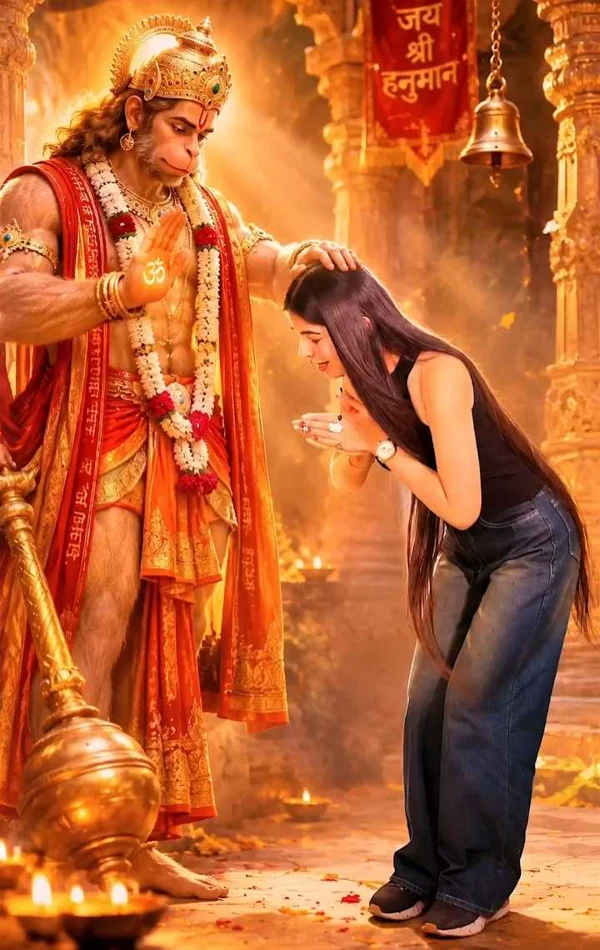
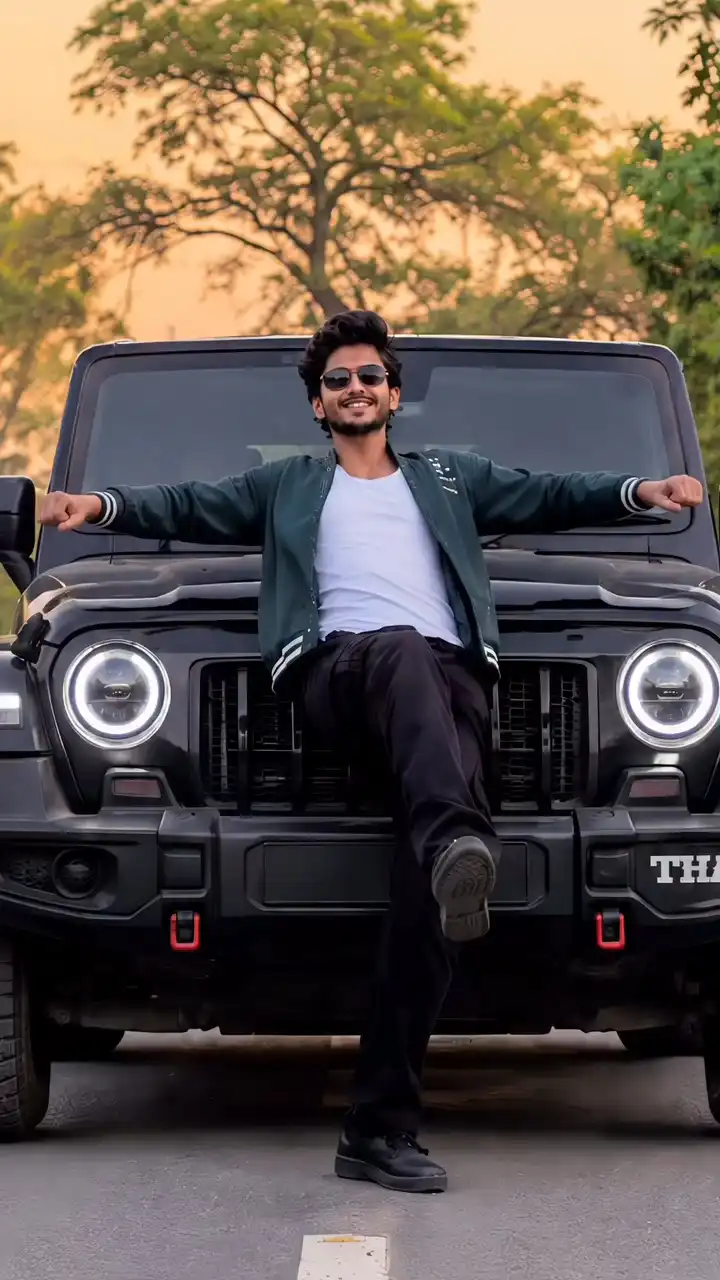
What does the Thar AI Video generator take from your photo?
The generator uses your portrait for the lead dancer’s face, hair and build across the studio and all six wishes. The preset supplies the poses, locations and camera timing. A photo with visible shoulders and arms gives the model more information to work from, especially if you want to keep your outfit.
What goes into a Thar AI Video prompt?
Use the portrait for identity and an authorized clip for movement in a video model that accepts both. Describe the wishes in order and tell the model to start each new scene on the same pose as the preceding studio shot. You can copy the prompt below for that workflow. This preset already includes its own instructions.
Create a 10-second, 9:16 video. Use the uploaded adult portrait for the dancer's face, hair and build. Follow my reference clip for movement and framing. In a lilac studio, alternate short dance beats with six wishes in this order: bow before Hanuman, open arms on the hood of a black Thar, lean beside a white limousine, flex in a gym, open palms in a gold hall full of banknotes, bow before Shiva. Start each wish on the exact pose from the preceding studio shot. Keep one consistent dancer and use hard cuts.
Can you make a Thar AI Video for free on TryH3?
You can view the scene illustrations and prepare a portrait and outfit for free. Creating a 10-second 480p clip here uses 160 credits. The $5 Trial Pack gives 24 credits. For a standalone purchase that covers 480p, the $9.90 pack gives 180 credits.
| Option | What you get |
|---|---|
| TryH3 signup credits | The 5-credit signup gift is below the cost of one clip. |
| TryH3 MP4 watermark | Downloads before the first purchase may carry a moving watermark. Paid accounts can download without it. |
| 180 Credit Pack | $9.90 buys 180 credits and covers one 160-credit clip at 480p. |
| Google Flow | 50 credits per day at no charge, with video generation subject to availability. A 10-second Omni Flash 1.2 clip at 720p costs 30 Flow credits. Check your plan for watermark terms. |
Checked 2026-11-21
Thar AI Video pricing and credits
Each generation uses the credits below for one 10-second vertical MP4, and all three tiers use Seedance 2.5. Dollar amounts express the value of the credits at the regular Studio monthly rate. The lowest tier uses 160 credits, equivalent to $4.44 at that rate. Starting from a zero balance, $9.90 buys the smallest pack that covers it.
| Model | Resolution | Credits and Studio monthly equivalent |
|---|---|---|
| Seedance 2.5 | 480p | 160 ($4.44) |
| Seedance 2.5 | 720p | 358 ($9.92) |
| Seedance 2.5 | 1080p | 882 ($24.45) |
What can change in the finished clip
Check the face, hand position and car proportions before sharing. The model can carry over facial details from the guide, shift the timing or skip a wish. This preset makes one dancer in the lavender studio sequence. It creates a new instrumental track and has no setting for the Mercedes variant or the viral song.
Where the Thar Reel gets its name
Hey Bhagwan Ek Thar De Do means roughly “Oh God, give me a Thar.” A November 2026 guide documents the lilac studio and fantasy cuts. Other videos use the same name for a prayer followed by a Thar-to-Mercedes transformation. The earliest upload of the studio version is unverified.
November 2026 guide documenting the studio cutThar AI Video FAQ
A current phone or desktop browser can run the generator with an image from your camera roll or computer. Use a single adult portrait that you have permission to animate, and check how credits are handled if the video cannot be delivered.
Do I need an app to make a Thar video on my phone?
No. Open this page in your phone browser, select an image from your camera roll and sign in when you are ready to generate.
Can I use a saree or another outfit from my portrait?
Choose Photo outfit to carry over the look in the portrait. If the clothing is cropped or you want a different look, describe it under Custom and optionally add a separate clothing photo.
What happens to my credits if a generation fails?
If the video provider cannot deliver a usable clip, the reserved credits are returned. Contact support if the provider delivered a clip and TryH3 could not finish the download.